


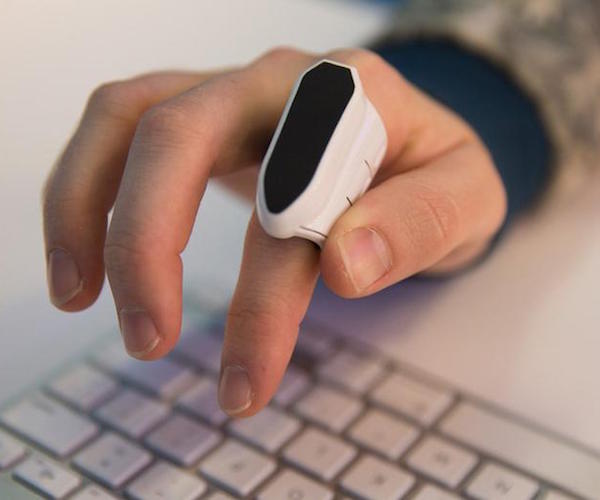
Mycestro: First of all, it’s a wearable UI – you strap this lightweight device on your forefinger and use it to move your on-screen cursor around. The strap is designed to not interfere with your ability to type.
The device tracks the movement of your finger in three-dimensional space. You activate the cursor to move with your thumb, by touching any part of the device.
Clicks are registered on three buttons by the side: left, middle and right. Scrolling and zooming is also done by the thumb.
Like any mobile device, this 3D mouse is chargeable via USB, and each full charge lasts a good 8 hours. The technology is enabled wirelessly by bluetooth and has a range of up to 30 feet.
You no longer need to be bound to a desk during a presentation or to have to work with a laser pointer that does not interact with your slides.
Among the things to practice: You can move your computer cursor left-and-right by lightly touching any part of the thumbpad while moving Mycestro left-and-right. The cursor only moves while your thumb is in contact with the thumbpad. You can also make the cursor travel further across the screen my moving your hand faster. And you can snap or flick your hand to move the cursor across the entire screen.
Read The full story on usatoday.com